Welcome ,
  1. Home
  2. Setting up PageCarton via Docker

PageCarton Documentation


Interested in coding widgets, classes, or methods? Check out the Code section!

Setting up PageCarton via Docker


Image

PageCarton now has a few files in its GitHub repository that helps to set it up on Docker easily. If you are familiar with Docker or a newbie, you should be able to get started with PageCarton on Docker without stress. 

The beauty of working with Docker is that you do not have to worry about setting up your server or configuring it. We have created a few settings in the Docker file to ensure the system will be using a compatible server to run your PageCarton in its container. 

Follow these steps to set up PageCarton on Docker

  1. Install Docker Desktop (If you have not done that already). Go to https://docs.docker.com/get-docker/ to learn how to install Docker Desktop for your operating system.
  2. Start up Docker Desktop and ensure it is running
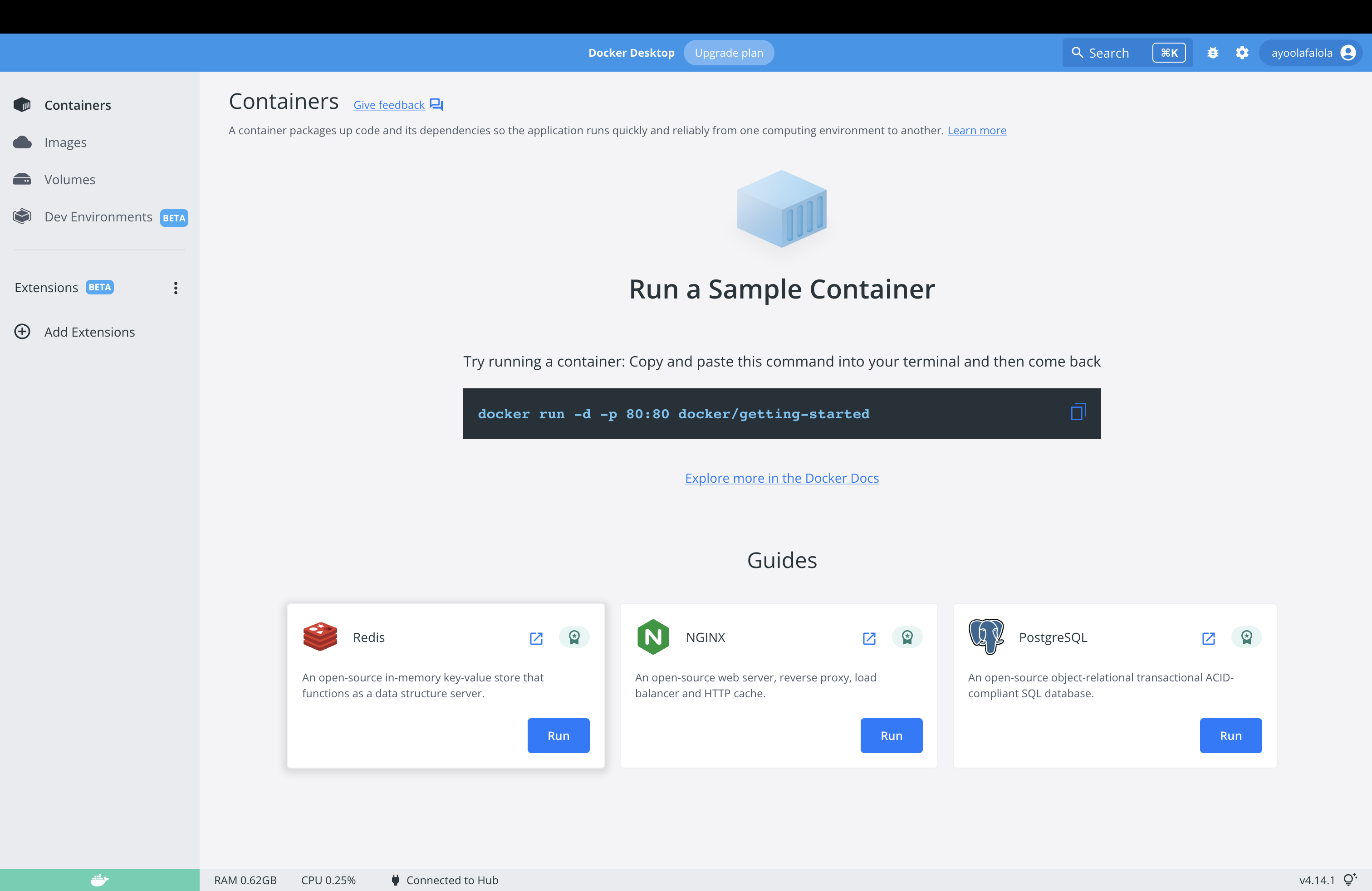

     
  3. Clone PageCarton from Github to your local system. For this, you need to launch your command line or terminal and enter the clone command
    git clone https://github.com/pagecarton/pagecarton.git
    
  4. Still on the command line, change directory into the cloned 'pagecarton' directory.
    cd pagecarton


  5. Build PageCarton image on Docker by entering the following command on the command line
    docker-compose up -d


That is it, PageCarton is live and you can go ahead to personalize it!


← Previous "Installing PageCarton via Composer""PageCarton Admin Panel" Next →


Similar article


How to Backup and Restore on PageCarton Photo

How to Backup and Restore on PageCarton

Backing up your PageCarton website helps protect your data against mistakes, server issues, hacking, or accidental deletion. A proper backup allows you to restore your website quickly if anything g...

article


Multi-Site Manager on PageCarton Photo

Multi-Site Manager on PageCarton

The Multi-Site Manager in PageCarton allows you to manage multiple websites from a single PageCarton installation. With the Multi-Site Manager, each site can have its theme, content, and setting...

article


How to Create a Form on PageCarton Photo

How to Create a Form on PageCarton

Forms on PageCarton allow you to collect information from website visitors, such as contact details, inquiries, or feedback. Follow the steps below to create a form on your PageCarton website. S...

article


Creating of Pages on PageCarton Photo

Creating of Pages on PageCarton

Step 1: Log in to the PageCarton Admin Panel 1.     Open your browser. 2.     Visit https://yourdomain.com/pc-admin (For local installation: http://lo...

article


How to add posts on PageCarton Photo

How to add posts on PageCarton

PageCarton makes it easy to create and publish posts such as blog articles, news updates, or announcements on your website. Follow the simple steps below to add a post successfully. Step 1: Log ...

article


How to Use Access Level Widgets to Control Content Visibility in PageCarton Photo

How to Use Access Level Widgets to Control Content Visibility in PageCarton

This article explains how to use PageCarton's Access Level Widgets to control content visibility based on user roles, such as content owners, invited users, or administrators. It helps ensure t...

article